Briva Voice Mobile App · iPhone & Android

Take your office line anywhere.

Make and answer business calls and send texts from your cell, using your company number. Customers see your business, never your personal number.
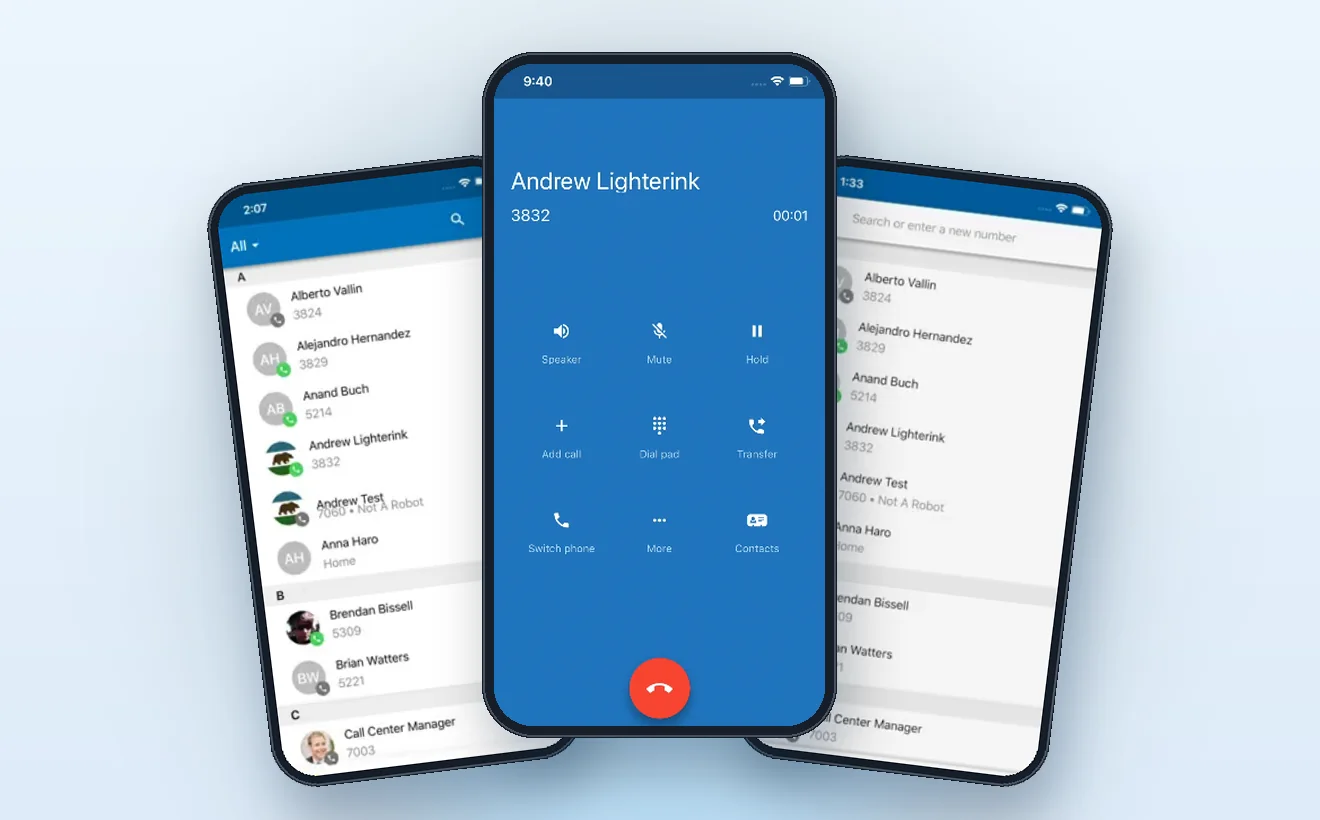
In the store, the app is called SNAPmobile. It is the app Briva Voice runs on, and it's free to download.
Briva Voice mobile app showing business contacts, an active call and number search on smartphones

Office calls on the move

Your desk phone, in your pocket. Calls and texts run through your Briva Voice business line, so it works the same from the office, a job site, the car or home.

01
Answer office calls anywhere
Calls to your extension ring the app as well as your desk phone. Pick up wherever you are, and the caller never knows you left the office.
02
Call out as the business
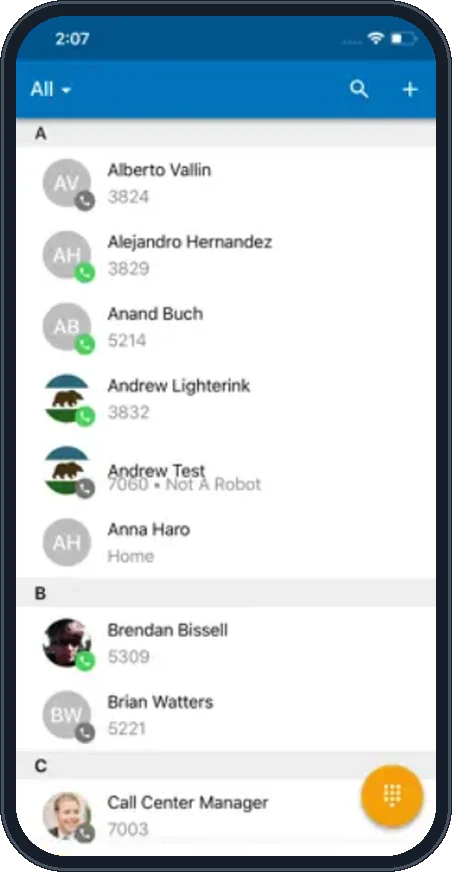
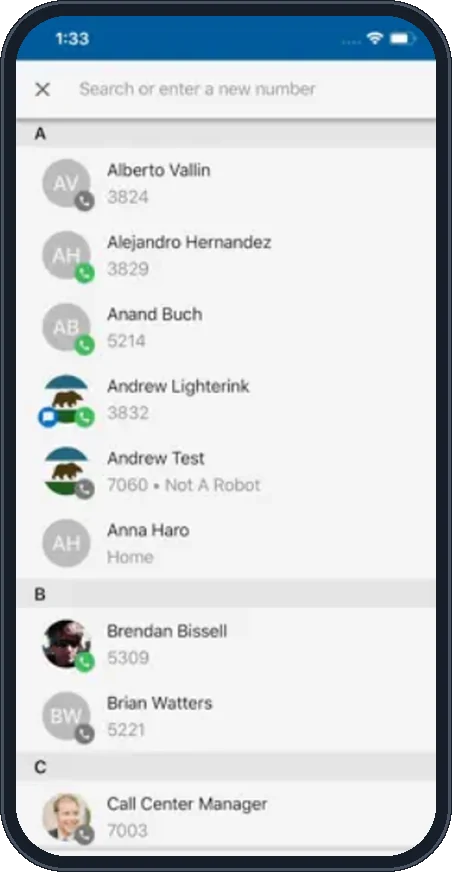
Tap a coworker or customer in Contacts, or tap the search bar and type any number. Outgoing calls show your company number, not your cell.
03
Text customers (SMS)
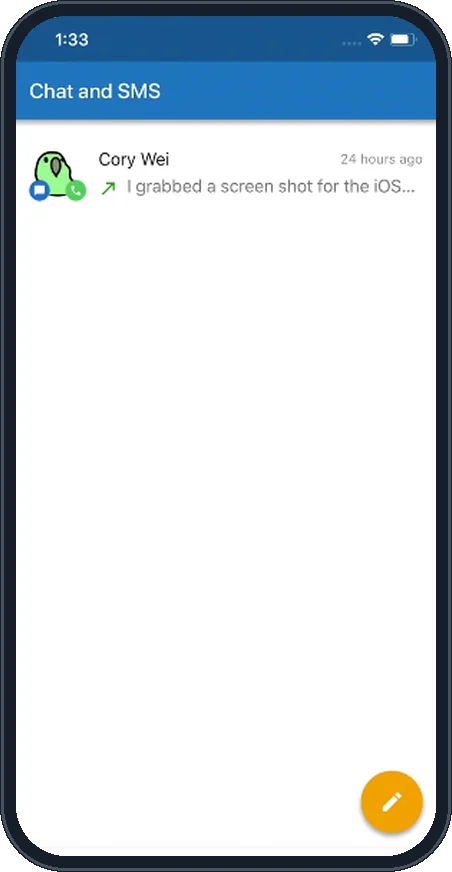
Open Chat and SMS, tap the pencil button, enter the customer's number and send. Replies come back to the app, so the conversation stays with your business.

Everything your desk phone does

The same call controls your team uses at the office, built for one hand.

Company directory
See every coworker and extension, with a status dot that shows who is available. One tap to call.
Hold, mute and speaker
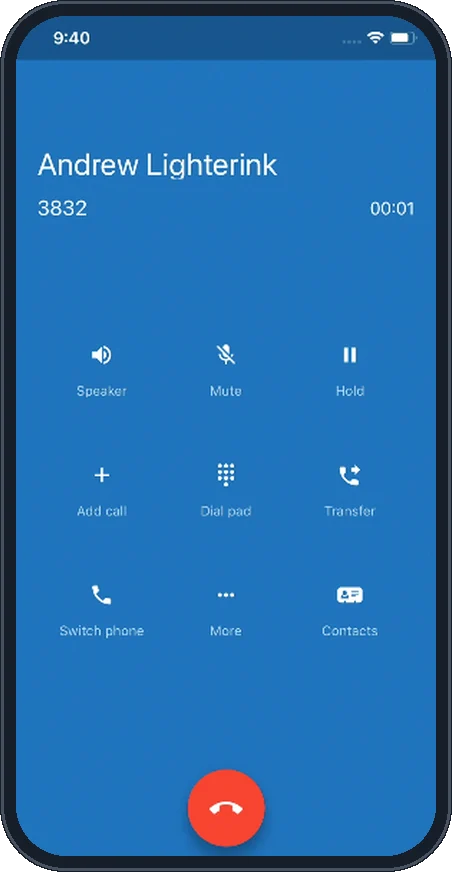
Big, simple buttons on every call, so you can put a customer on hold or go hands-free in a second.
Transfer and add calls
Send a caller to the right person or pull a third person into the call, just like at your desk.
Switch phones mid-call
Started a call at your desk? Use Switch phone to move it to your cell and walk out the door without hanging up.
Chat and SMS in one inbox
Message coworkers and text customers from the same screen, with every conversation saved.
Voicemail and call history
Check business voicemail and recent calls from the tabs at the bottom of the app, then call back with a tap.

A look inside the app

Five screens you'll use every day.
Briva Voice mobile app company contacts list with availability status
Company contacts
Briva Voice mobile app active call screen with speaker, mute, hold, transfer and switch phone
On a call
Briva Voice mobile app search or enter a new number screen
Find or dial a number
Briva Voice mobile app Chat and SMS inbox
Chat and SMS
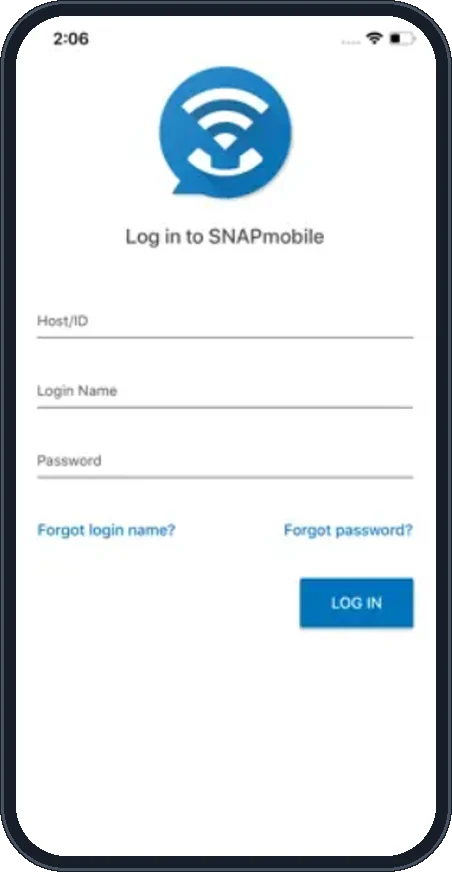
SNAPmobile sign in screen with Host ID, login name and password
Sign in

Get set up in a few minutes

1
Download SNAPmobile
Use the App Store or Google Play button on this page, or search SNAPmobile in your phone's app store.
2
Sign in
Enter the Host/ID, login name and password Briva Voice gave you. Lost them? Call us and we'll get you back in.
3
Allow microphone and notifications
Say yes when the app asks. That lets calls ring through and your callers hear you clearly.
4
Call and text as the business
You're live. Texting needs an SMS-enabled business number; we set that up and handle the carrier registration for you.
Need your login or want the app for your team?
Briva Voice customers get the mobile app at no extra cost. New to Briva Voice? We'll set up your phones, numbers and app together.

Let’s talk about your phone system

Tell us what you need and the Briva Voice team will follow up.

* Required fields. Please do not include passwords or payment information.

Thank you! Your submission has been received!
Oops! Something went wrong while submitting the form.