.png)

If you are experiencing high ping times and/or slower than normal internet speeds, you might be a victim fo a DNS DoS attack.
This article will walk you through creating a firewall rule on Mikrotik routers to block this attack.
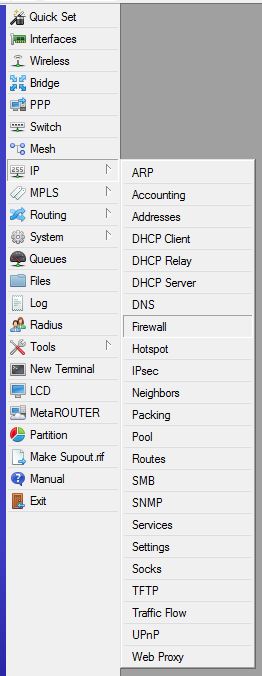
- Log into your Mikrotik and navigate to IP >> Firewall >> then select the Filter Rules tab.
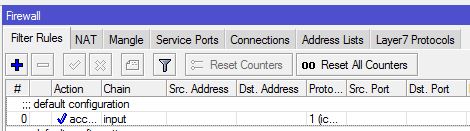
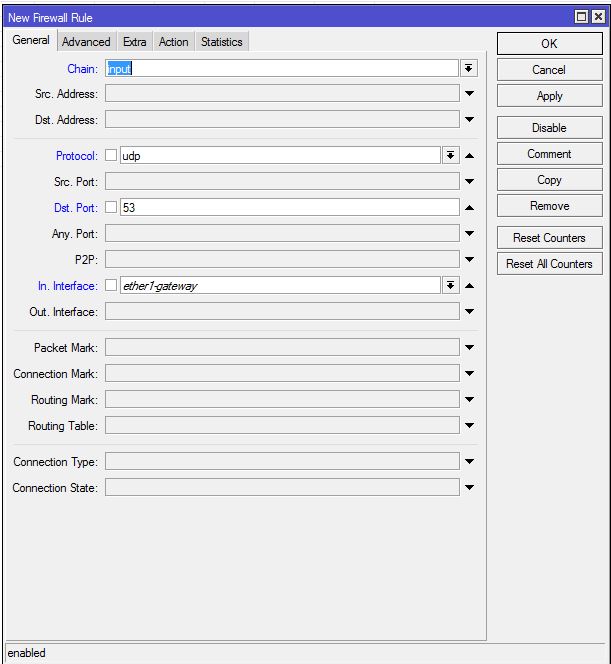
2. Click on the + icon to add a new rule and input these settings:
- Chain = "input".
- Protocol = "udp".
- Dst. Port = "53"
- Interface = "ether1-gateway" (or whichever WAN port you are using)
4. Click on the Action tab and select "drop" then click Apply.
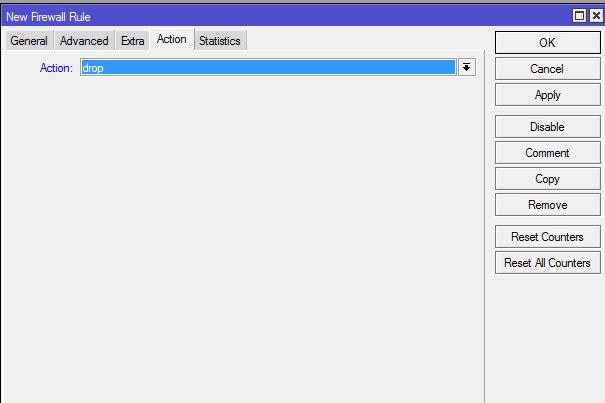
This will effectively stop external DNS requests to your firewall.
If you have any questions please submit a ticket to our Technical Support Department.
